MIRAINOVA

PTERODACTYL THEMES

AVAILABLE NOW 2026  •  4 OFFICIAL EDITIONS  •  56 UI SCREENSHOTS

EXPLORE EDITIONS
MIRAINOVA STUDIO
PTERODACTYL v2.0+  •  .PTEROEXT ENGINE  •  TAILWIND CSS v4 All themes verified and captured live on Pterodactyl v2.0.0-beta.2 (Desktop 1440×900 & Mobile 390×844)
v2
PTERODACTYL v2 ONLY
LEGACY v1.x NOT SUPPORTED
EDITION 01 // TACTICAL NOIR

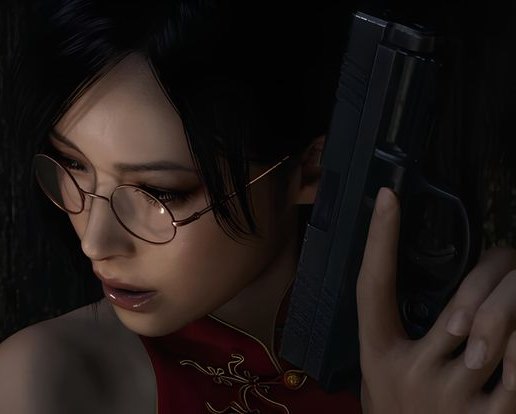
Ada Wong UI

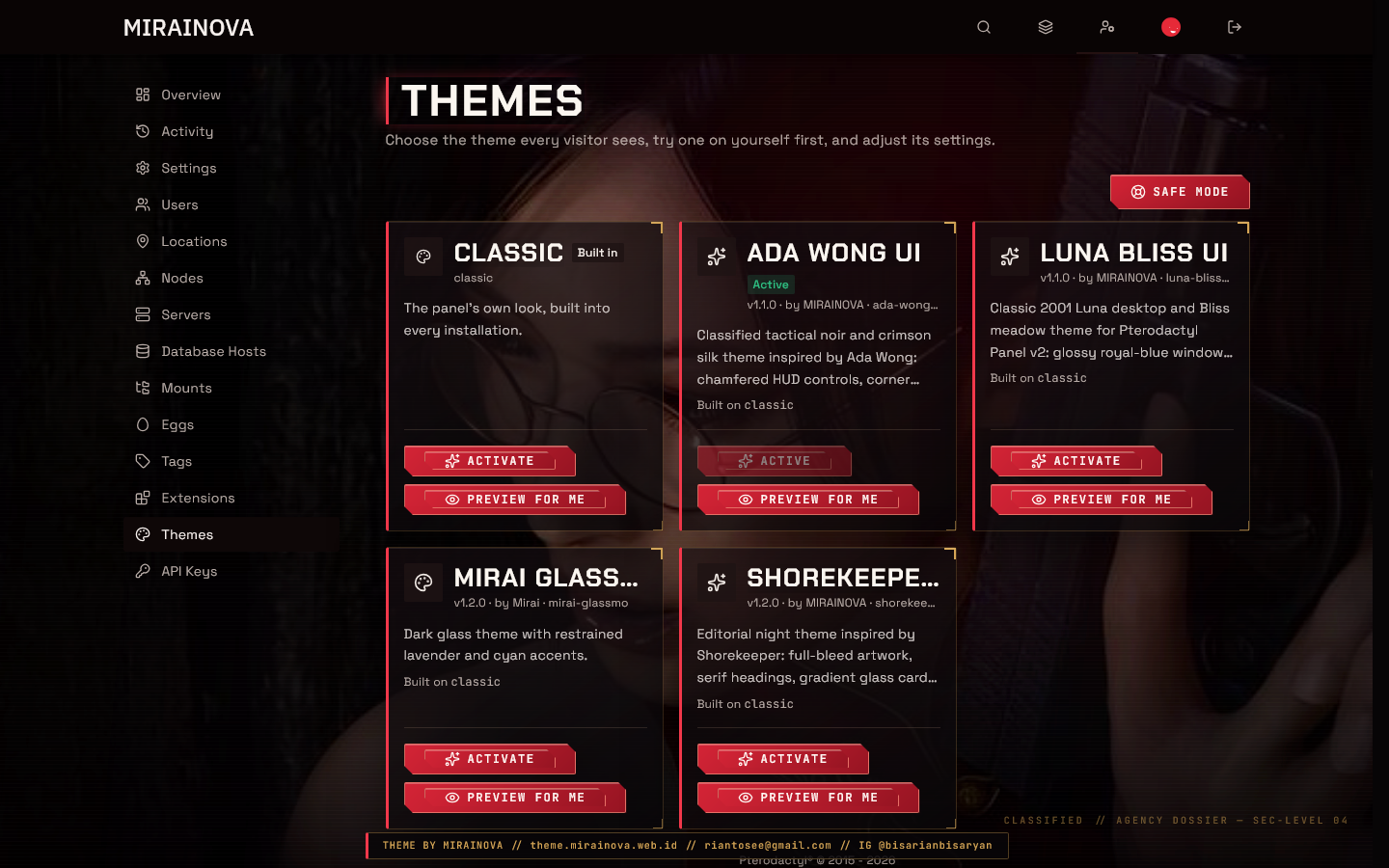
Engineered with a classified covert-agent aesthetic wrapped in crimson silk and deep obsidian. Features 4-corner gold targeting reticles on every card, chamfered polygon buttons, and 3px crimson laser accents without sacrificing panel legibility.

v1.1.0 ada-wong-ui 7 Desktop + 7 Mobile SS
DOWNLOAD .PTEROEXT
Ada Wong UI

Click any of the 5 live panel captures above to switch the ambient stage backdrop, or double-click to launch the full 14-screenshot documentation inspector.

EDITIONS

Choose Your Theme Edition

4 EXTENSION PACKAGES (.PTEROEXT)  •  14 SCREENSHOTS PER THEME
Ada Wong UI Themes Gallery
14 SCREENSHOTS (7 DESKTOP + 7 MOBILE)
CLASSIFIED TACTICAL NOIR

Ada Wong Edition (v1.1.0)

  • Obsidian tactical cards with 4-corner gold targeting reticles
  • Chamfered polygon buttons & 3px crimson laser vertical bars
  • Dual high-resolution Ada Wong artworks embedded directly in CSS
  • Complete 14-screenshot documentation (7 Desktop & 7 Mobile views)
  • Permanent official MIRAINOVA creator watermark bar
FREE / v2.0+ .pteroext
DOWNLOAD
Shorekeeper UI Themes Gallery
14 SCREENSHOTS (7 DESKTOP + 7 MOBILE)
EDITORIAL NIGHT CINEMA

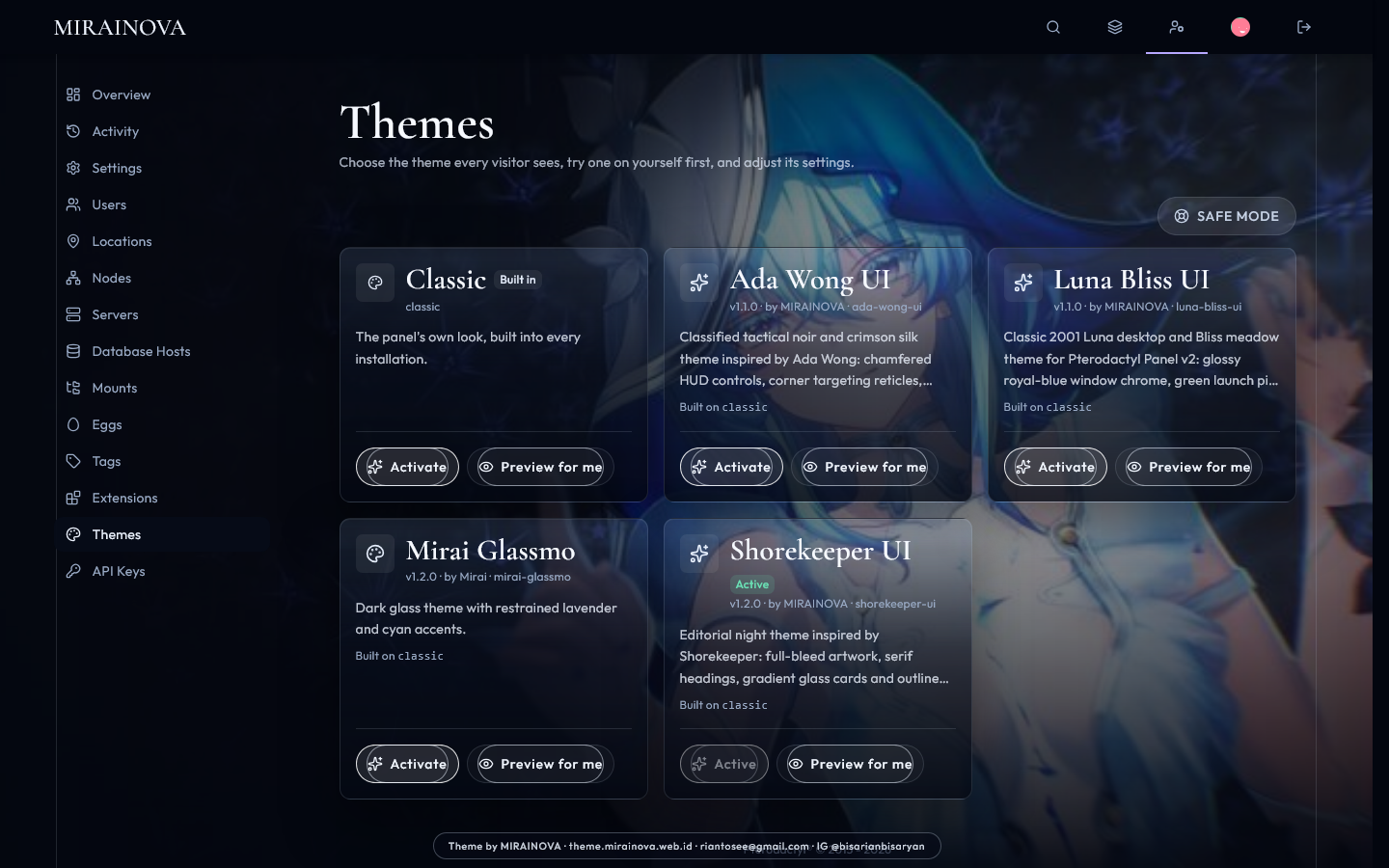
Shorekeeper Edition (v1.2.0)

  • Refined Cormorant Garamond editorial serif display typography
  • Vertical gradient glass cards fading seamlessly into the night canvas
  • Capsule pill-outlined buttons with starlight cyan luminescence
  • Complete 14-screenshot documentation (7 Desktop & 7 Mobile views)
  • Permanent official MIRAINOVA creator watermark bar
FREE / v2.0+ .pteroext
DOWNLOAD
Luna Bliss UI Admin Overview
14 SCREENSHOTS (7 DESKTOP + 7 MOBILE)
CLASSIC 2001 DESKTOP TRIBUTE

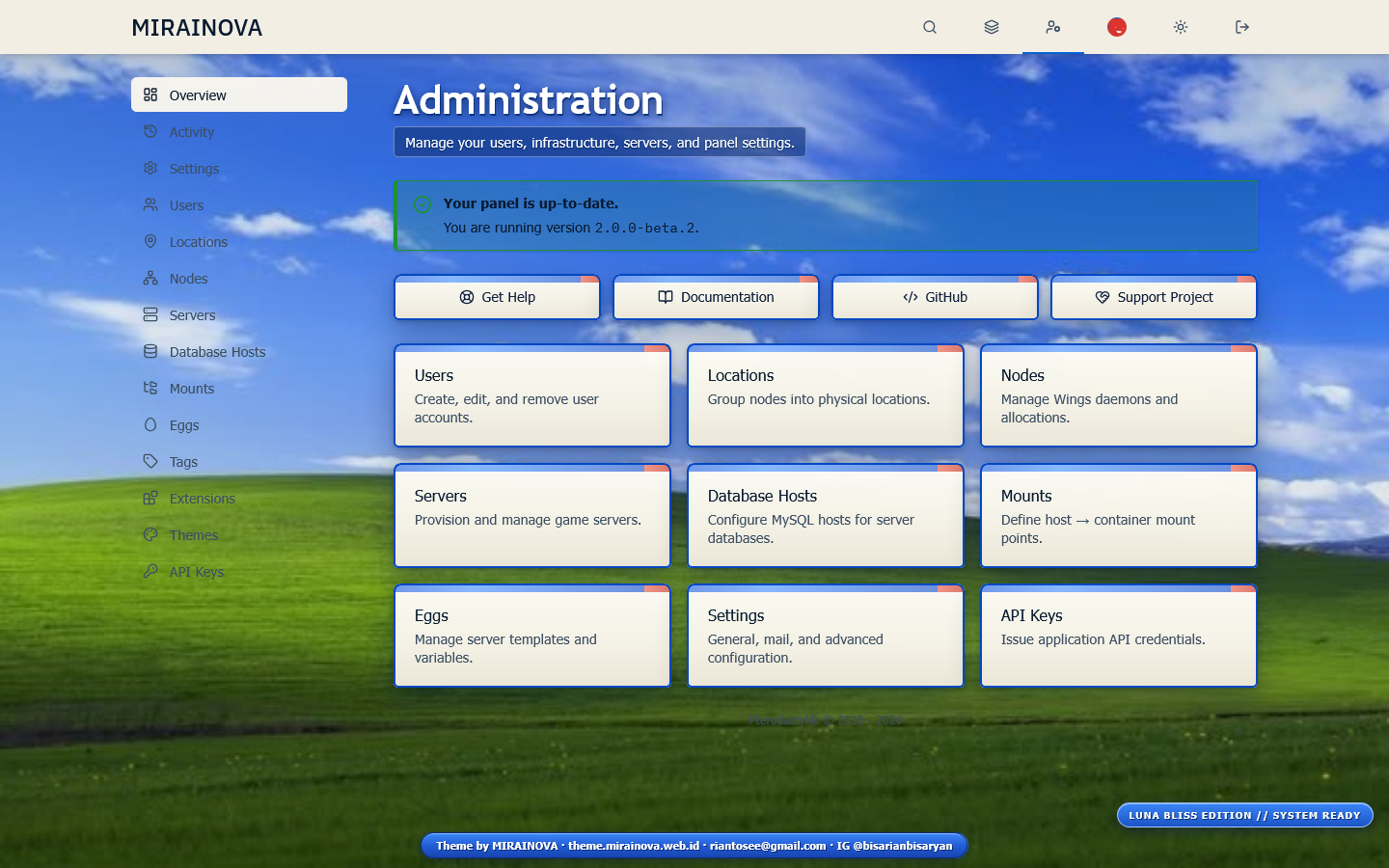
Luna Bliss Edition (v1.1.0)

  • Glossy royal-blue Luna taskbar & sunlit rolling green Bliss meadow
  • Warm #f6f4ea dialog cards with rounded blue window title bars
  • 3D beveled green Start/Launch action buttons (100% trademark-safe)
  • Complete 14-screenshot documentation (7 Desktop & 7 Mobile views)
  • Permanent official MIRAINOVA creator watermark bar
FREE / v2.0+ .pteroext
DOWNLOAD
Mirai Glassmo Themes Gallery
14 SCREENSHOTS (7 DESKTOP + 7 MOBILE)
MINIMAL DARK GLASSMORPHISM

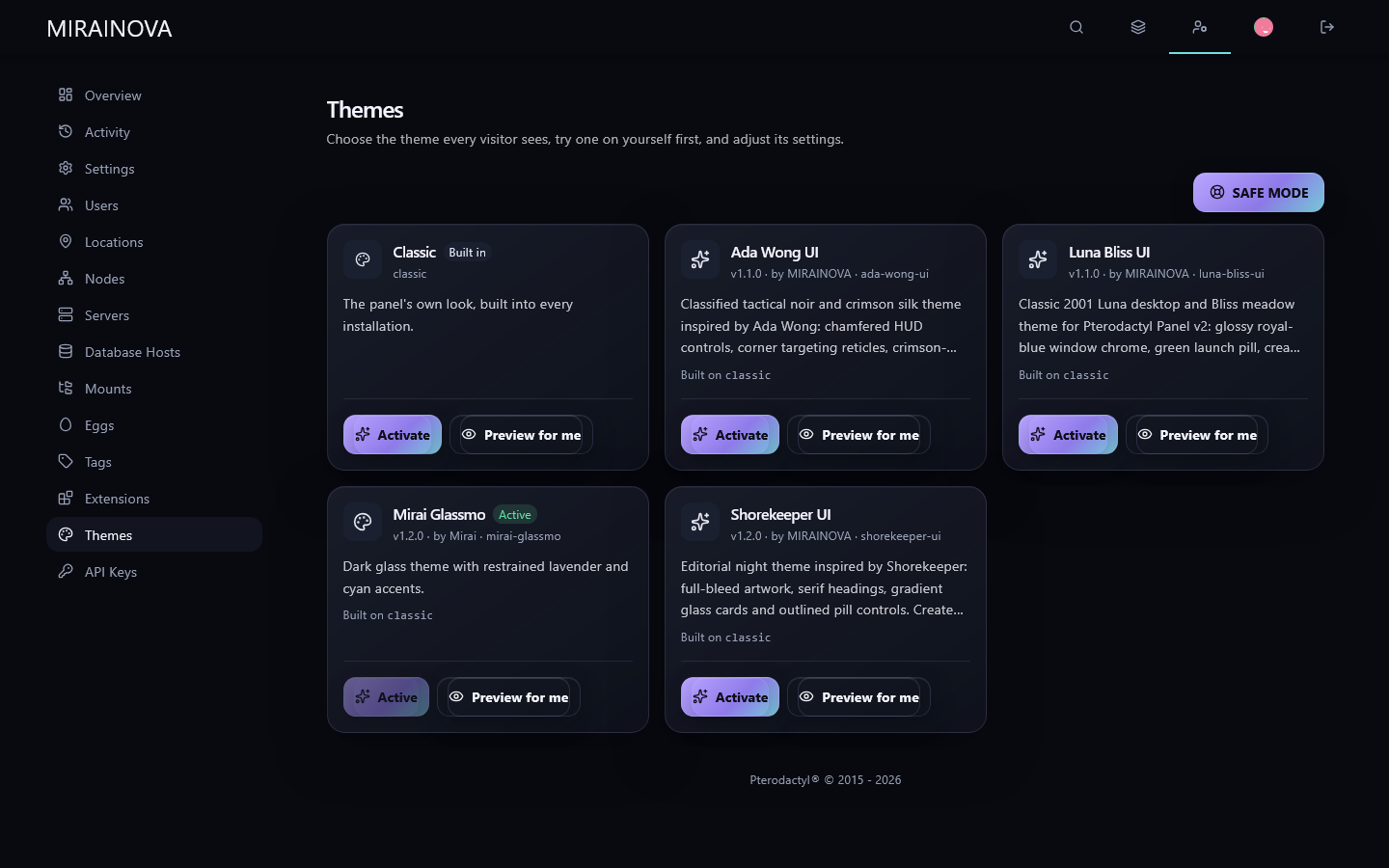
Mirai Glassmo Edition (v1.2.0)

  • Pure dark glassmorphism with 18px Gaussian backdrop blur
  • Restrained lavender and cyan accents with crisp semi-transparent borders
  • Ultra-lightweight 8 KB package footprint for zero-overhead rendering
  • Complete 14-screenshot documentation (7 Desktop & 7 Mobile views)
  • Official MIRAINOVA baseline design system
FREE / v2.0+ .pteroext
DOWNLOAD

Full Panel Documentation

Explore all 56 authentic live screenshots (7 core panel routes × 2 viewports × 4 themes) captured directly on Pterodactyl v2 via Mozilla Firefox.

SYSTEM ARCHITECTURE WARNING

Are Legacy Pterodactyl Versions (v1.x) Supported?

NO — PTERODACTYL v1.x (v1.11.x & OLDER) IS NOT SUPPORTED.
All MIRAINOVA themes are engineered exclusively for the Pterodactyl v2 Extension & Theme System (.pteroext packages and Tailwind CSS v4 tokens). Legacy v1.x panels rely on monolithic Blade templates + Laravel Mix/Webpack and lack the php artisan p:extension:install loader and hot-swappable theme engine.

Pterodactyl v2.0.0-beta.2+ ✓ FULLY SUPPORTED (NATIVE)
Pterodactyl v2.x Dev Branch ✓ FULLY SUPPORTED
Pterodactyl v1.11.x (Legacy) ✕ NOT SUPPORTED (Incompatible DOM)
Blueprint v1 Framework ✕ INCOMPATIBLE (Uses .pteroext v2)

Theme Installation Guide

Deploy any MIRAINOVA theme in seconds using the native Pterodactyl v2 Artisan CLI—no manual frontend rebuild or Node compilation required on your server.

01 // DOWNLOAD PACKAGE Download your preferred .pteroext archive from the Editions catalog above.
02 // UPLOAD TO SERVER Transfer the file to your VPS via SFTP/SCP or clone the GitHub repository.
03 // INSTALL EXTENSION Run php artisan p:extension:install inside your Pterodactyl directory.
04 // ACTIVATE THEME Activate via CLI p:theme:activate or through Admin → Themes in the web UI.
BASH // /var/www/pterodactyl
# 1. Navigate to your Pterodactyl v2 root directory
cd /var/www/pterodactyl

# 2. Install the theme package (.pteroext)
php artisan p:extension:install /root/ada-wong-ui-1.1.0.pteroext

# 3. Activate the theme (options: ada-wong-ui | shorekeeper-ui | luna-bliss-ui | mirai-glassmo)
php artisan p:theme:activate ada-wong-ui

# 4. Clear view & config caches if needed
php artisan view:clear && php artisan config:clear
Commands copied to clipboard!